Lighting is definitely one of the fundamental game design elements which can cause a major effect in terms of atmosphere, realism, and performance when working on a game. Among the most widely used game development engines, Unity provides numerous techniques for lighting that could meet different requirements in projects. Thus, the two prominent approaches are real-time lighting and baked lighting.
In this tutorial, we are going to let you into the world of real-time lighting versus baked lighting. We’ll guide you on how to make that decision and usage scenarios, implications on performance, and best practices for creating aesthetically pleasing and optimized lighting in Unity.
What is Realtime Lighting?
Real-time lighting calculates light in real time within the game. Lights and their impacts on objects, shadows, and reflections are tracked and updated in real time if they’re moved or changed.

Characteristics of Realtime Lighting:
- Dynamic: Objects that are lit with real-time lights may change, move, or interact with the source of light; therefore, they are perfect in very interactive or ever-changing environments.
- Higher resource cost: As it has to recalculate lighting for every frame, real time lighting consumes a lot of resources especially at the higher end in which scenes are large or there are multiple light sources.
- Shadow casting: Real-time lights can cast dynamic shadows that adapt to changes in the scene. This provides more realistic effects but is computationally intensive.
Use Cases for Real-time Lighting:
- Movable Light Sources: Consider a first-person game in which the flashlight the player is carrying is on, and the player must be moving. That beam needs to update as the player moves, so real-time lighting is in order.
- Day/Night Cycles: Many open-world games change the times of day. The real-time lighting comes in handy updating the changing shadows and lighting intensity.
- Interactive objects: This are those objects whose positions change or interact with light, such as opening doors or moving automobiles. Such objects demand real-time lighting so that the exact shadows and reflections could be realized.
Optimization Tips for Real-time Lighting
- Limit the number of real-time lights: Unity provides several types of light (Directional, Point, Spot, and Area) but can quickly degrade performance if there are too many real-time lights. Focus on one or two real-time lights that are particularly vital and bake the rest (more on this later).
- Apply lightweight culling: Using masks of Unity’s light culling allows you to choose which objects will be affected by a light source. This way, real-time lights would influence only that which matters in the scene, saving performance costs.
- Tap into the full potential of Unity’s Lighting settings: With “Mixed Lighting,” a blend between the dynamic lighting from real-time parts, pre-calculated light data would be used for static parts.
- Optimize shadow settings: Real-time shadows are very expensive at computation; therefore, fine-tuning the resolution, distance, and cascades of shadows might give substantial performance improvement. Experiment with soft shadows for smoother edges but lower computational cost.
What Is Baked Lighting?
Baked lighting does pre-calculations of lighting and shadows in development time, and such information is saved in lightmaps. Such lightmaps are static textures, added to the scene, meaning that it doesn’t change dynamically but has a much lower performance cost.
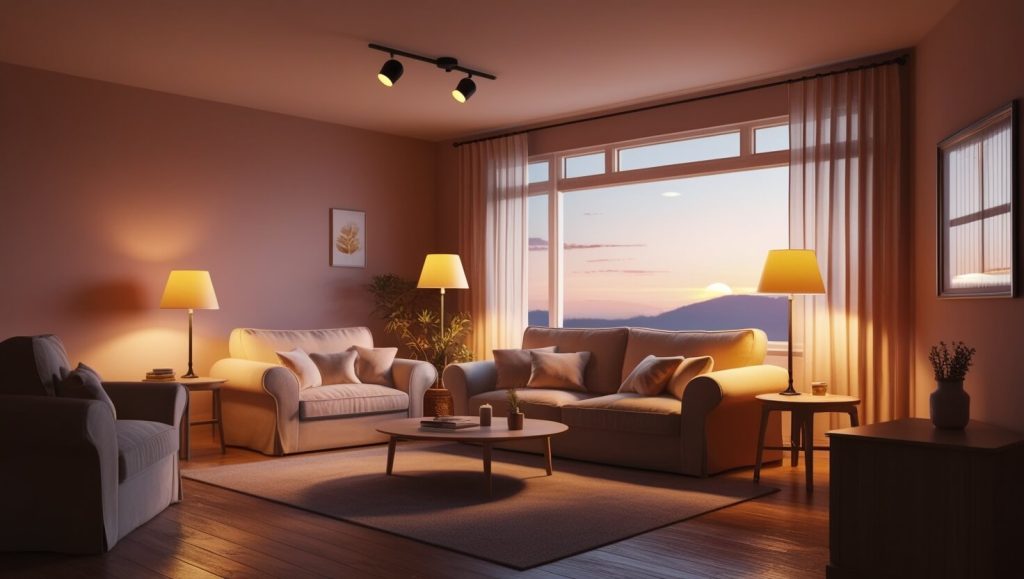
Characteristics of Baked Lighting:
- Static: Baked lights don’t change during runtime. This makes them perfect for environments with stationary light sources and static objects.
- Reduced resource cost: Since all the lighting information is precomputed, baked lighting impacts the runtime performance very little and is therefore highly efficient.
- High visual fidelity: Baked lighting captures much more complex effects such as GI and AO. As a result, soft shadows will appear realistic, and details from soft bounces and indirect light will come out subtlely.
Use Cases for Baked Lighting:
- Static Environments: Lights and objects will not be in motion. Architectural visualizations, buildings, and landscape environments are perfectly suited for the use of baked lighting.
- Indoor Interior Lighting: For scenes in which lights are static such as overhead lights or lamps; baked lighting can fully take advantage since it provides an opportunity for intricate light behavior without affecting the performance.
- Pre-baked cinematics: Scenes where lighting changes aren’t necessary at runtime can be pre-computed in advance to save on processing power.
Optimizing Techniques for Baked Lighting
Use correct Lightmap Resolution: In Unity, you can specify the resolution of lightmaps. A higher resolution records finer details for lighting but increases the memory footprint. You want to aim at a balance of visual fidelity with performance by trying different resolutions.
**Leverage Light Probes: Dynamically moving objects like characters might traverse many baked environments, so you could leverage light probes to find the information with regard to light emitted by the baked scene using interpolation. This allows a dynamic object to respond to baked lighting without requiring full real-time lighting.
Lightmap using optimized UV layouts: your lightmaps, be they to bake, shouldn’t have any overlap and be perfectly packed. When Unity auto-generates UVs, if not done or edited by hand, it most of the time just works fine. Proper custom UVs will give you a better result with fewer artifacts.
Ambient Occlusion (AO) AO is a baked lighting feature that can be included with Unity’s baked lighting. It darkens crevices and the areas where light is occluded, giving the scene an extra sense of depth perception. AO in baked lighting is going to help your scene look much more real and grounded.
Real-time vs. Baked Lighting: Which To Use?
So how do you decide what to choose between real-time and baked? lighting depends on the specific needs of your game or project. Here’s a comparative analysis:
| Feature | Real-time Lighting | Baked Lighting |
|---|---|---|
| Performance | High performance cost due to real-time calculations | Low performance cost due to pre-baked lightmaps |
| Lighting Flexibility | Fully dynamic, can change in real-time | Static, no changes after bake |
| Visual Fidelity | Limited by real-time rendering constraints | High fidelity with global illumination and AO |
| Use Case | Dynamic, interactive environments (movable objects, day/night cycles) | Static environments (fixed lights, interior scenes) |
In practice, most projects combine both approaches, using real-time lighting for dynamic elements and baked lighting for static ones. Unity offers a Mixed Lighting mode, which lets you blend real-time direct lighting with baked indirect lighting, giving you the best of both worlds.
Practical Example: Combining Real-time and Baked Lighting
Let’s apply both types of lighting on a scene in Unity:
Scene: Animating a Living Room with Moving Lights
- Static Objects: walls, furniture, floor
- Dynamic Objects: player character, movable lamp
Step 1: Setting up Baked Lighting for Static Objects
- Add your stationary light sources (ceiling lights, table lamps, etc.). Ensure you have set these to Baked mode.
- Open up the Lighting window and enable Baked Global Illumination. Change the Indirect Multiplier to control how much light bounces around the scene.
- Bake out a lightmap to get started with lightmaps, and experiment with a few different resolutions to determine what is a good quality-performance balance for your model.
Step 2: Real-Time Lighting for Moving Objects
- Apply the movable lamp with a Real-time light mode so that its light and shadows will update dynamically as it moves.
- Shadows on real-time lights are defaulted to a performance preset. Soft shadows and shadow distance should be limited to optimize.
- If the character is handling the environment, Light Probes blend together baked lighting and real-time lighting for smooth interactions.
Step 3: Lighting Mix
- Use Mixed Lighting for objects that will benefit from both. For instance, this table lamp could really cast in real time, but still help out with bake indirect lighting in the scene.
- Test your scene’s performance using the Unity Profiler to make sure you are finding your optimal balance between baked and real-time lighting.
Final Tips on Engaging Lighting Content Creation
- Play with Light Colors and Intensities: Different color temperatures (cool vs. warm lighting) may make a huge difference in terms of the mood of a scene.
- Use Post-Processing Effects: Combine lighting with Unity’s post-processing stack, for example, to include bloom, color grading, and so on, to make visuals better.
- Test on Multiple Devices: Lighting has different implementations on each platform. So one should always test their lighting setup on multiple hardware in order to make sure the lighting is going to look consistent on every device.
Conclusion
Therefore, proper understanding of when to use either real-time lighting or baked lighting and how they blend together is essential in having an eye-candy and optimized game in Unity. While in using the baked lighting for complexity and high quality lighting with minimal hits on performance, real time lighting brings dynamism. Thus, so long as done appropriately in consideration of each aspect of your game and that it balances, then your choice will likely bring the system the best level of performance together with beautiful visuals.
With the advanced lighting techniques mastered, you ought to be able to draw in players and put them in atmospheres that they feel and get immersed into, along with good performances across various platforms.